PRODUCT INTEGRATION · SYSTEMS THINKING · E-COMMERCE UX ·2026
Espresso Yourself
From designed interface to working product system.
A specialty coffee e-commerce product where I helped connect customer shopping flows, admin management, cart behaviour, product data and role-based access into one working end-to-end experience.
PRODUCT SYSTEMS
E-COMMERCE UX
ROLE-BASED EXPERIENCE
PRODUCT INTEGRATION
ROLE
Team Lead & Product Integration Contributor
TEAM
4-person
2 frontend · 2 backend
DURATION
4 weeks
TYPE
Full-stack e-commerce web app
OUTCOME
Working customer/admin e-commerce experience
Connected browsing, cart and checkout flows
Protected admin management flows
QUICK OVERVIEW
THE PROBLEM
The product needed to behave like a working e-commerce system, not a set of static screens.
THE SHIFT
We connected customer shopping, admin management, cart behaviour and role-based access into one product experience.
MY ROLE
I led product integration across customer/admin flows, backend logic, cart behaviour and final implementation so the experience worked end-to-end.
TECH STACK
React · Vite · Node · Express · MongoDB · Mongoose · JWT · bcryptjs · Axios
WHY IT MATTERS
Why this mattered.
A store does not feel complete because the screens look finished. It feels complete when product data, cart behaviour, account access and admin tools work together behind the interface.
FOR CUSTOMERS
Shopping progress stayed visible from browsing to checkout.
FOR ADMINS
Store management was protected and separated from the customer experience.
FOR THE PRODUCT
Shared data allowed catalogue, cart and membership behaviour to stay consistent.
THE REAL PROBLEM
The challenge was not just designing screens. It was making the product work end-to-end.
Espresso Yourself needed to behave like a real e-commerce product, not a set of static pages. Customers needed to browse, compare, add items to cart, check out and see membership progress. Admins needed a separate protected experience to manage products, review carts and monitor store activity.
REFRAME
The brief was reframed from a list of required features into a connected product system where customer shopping, admin management and shared product data worked together.
FROM BRIEF TO PRODUCT
From brief requirements to product capabilities.
Product Discovery
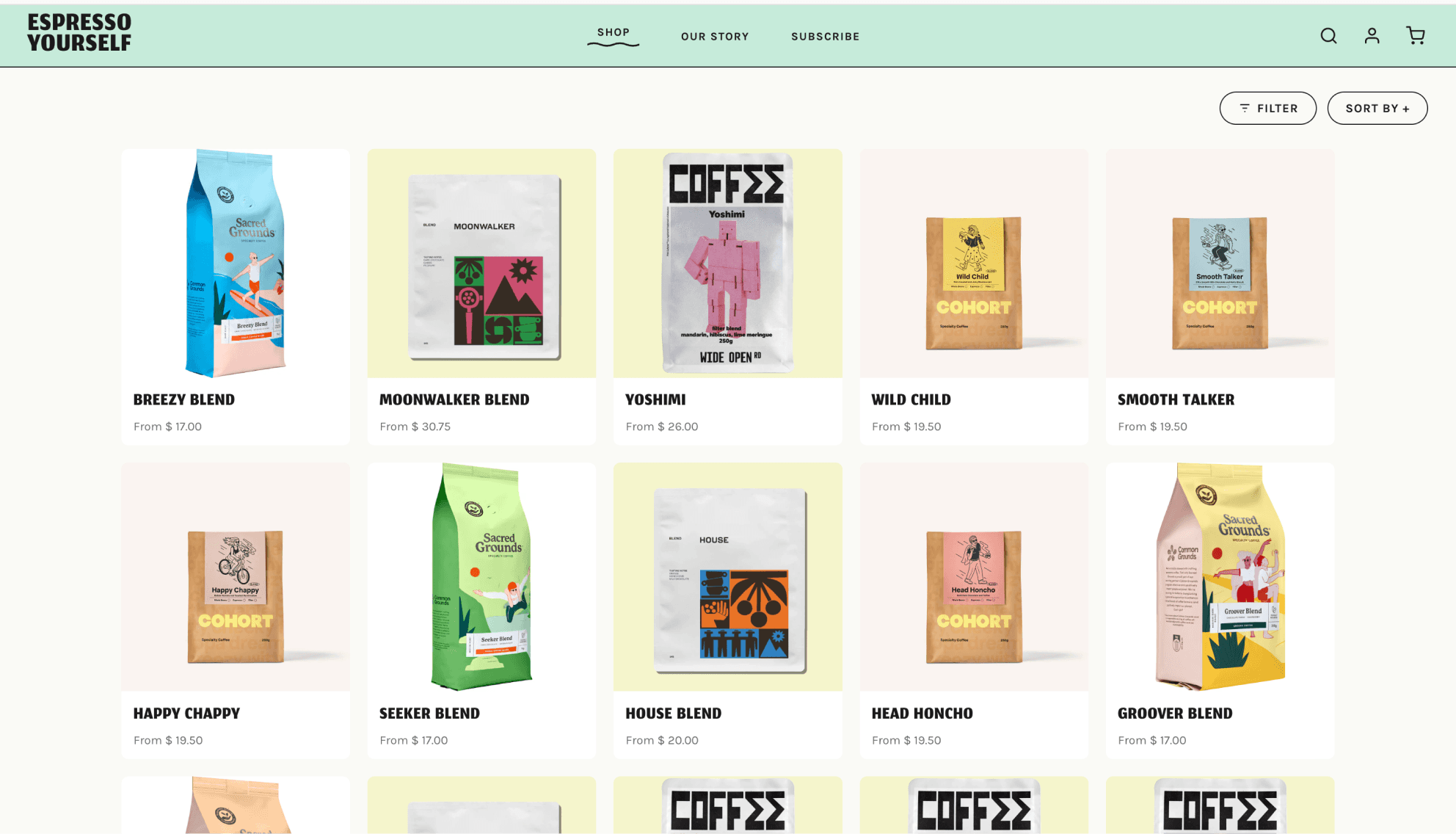
Search, filter and sort helped customers move through the catalogue faster.
Checkout Continuity
Cart state stayed consistent from product detail to checkout.
Membership Feedback
Points turned checkout into visible post-purchase feedback.
Store Operations
Admin tools made product management possible without database access.
PRODUCT EXPERIENCE MAP
Mapping the customer and admin experience as one product system.
This simplified system view shows how user actions, product data, cart behaviour and permissions connected behind the interface.
CUSTOMER EXPERIENCE
01
Browse
02
Product detail
03
Cart
04
Checkout
05
Membership
ONE PRODUCT SYSTEM, TWO ROLE-BASED EXPERIENCES
Authentication
Product data
Cart state
Checkout confirmation
User role
Membership points
ADMIN EXPERIENCE
01
Dashboard
02
Products
03
Customer carts
04
Store management
SIDE NOTE
The customer and admin journeys shared the same product system, but each role saw the tools and actions relevant to them.
SHOPPING FLOW
Designing the shopping experience around product discovery, confidence and continuity.
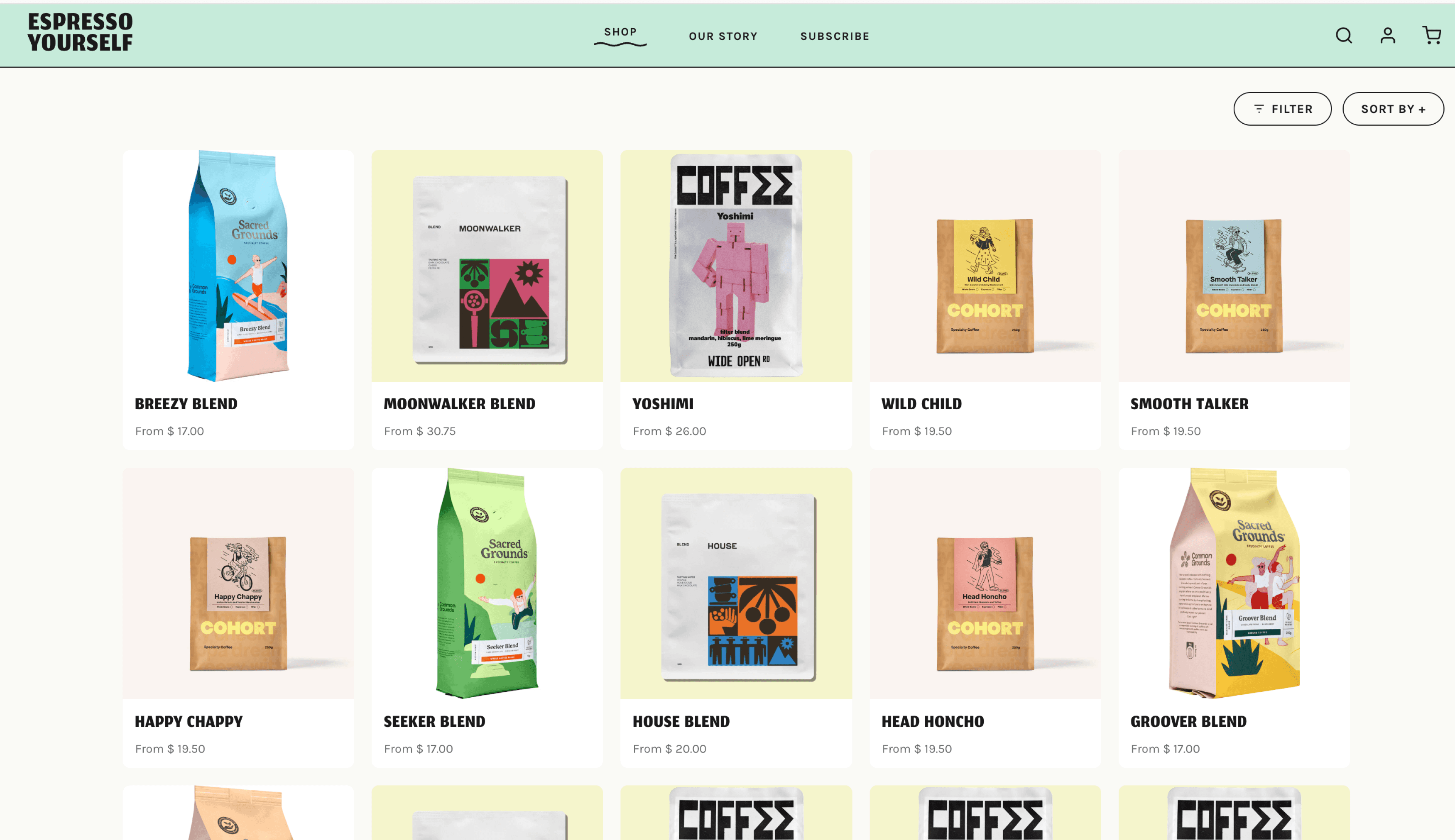
Product Page
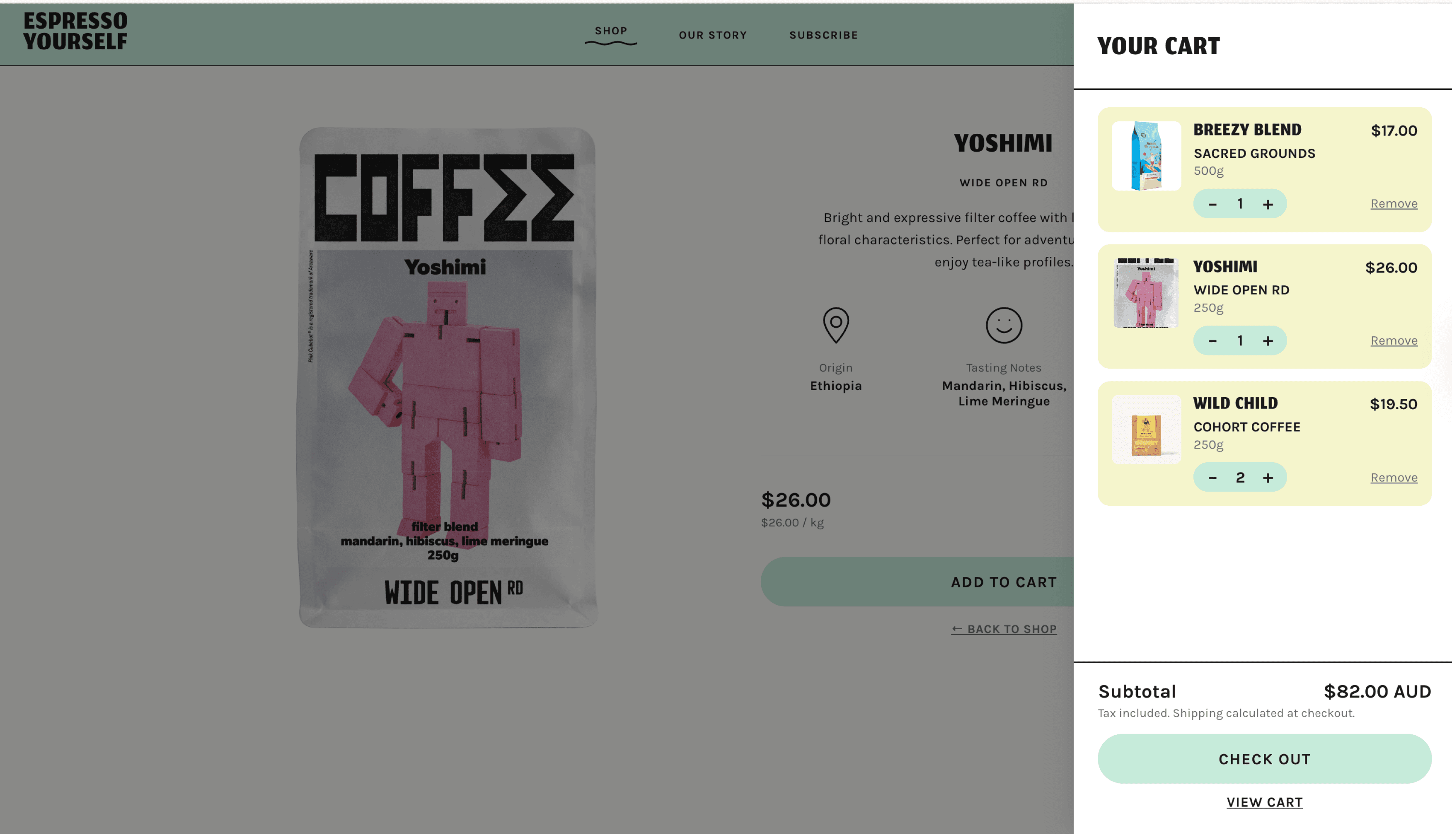
Side Cart Tab
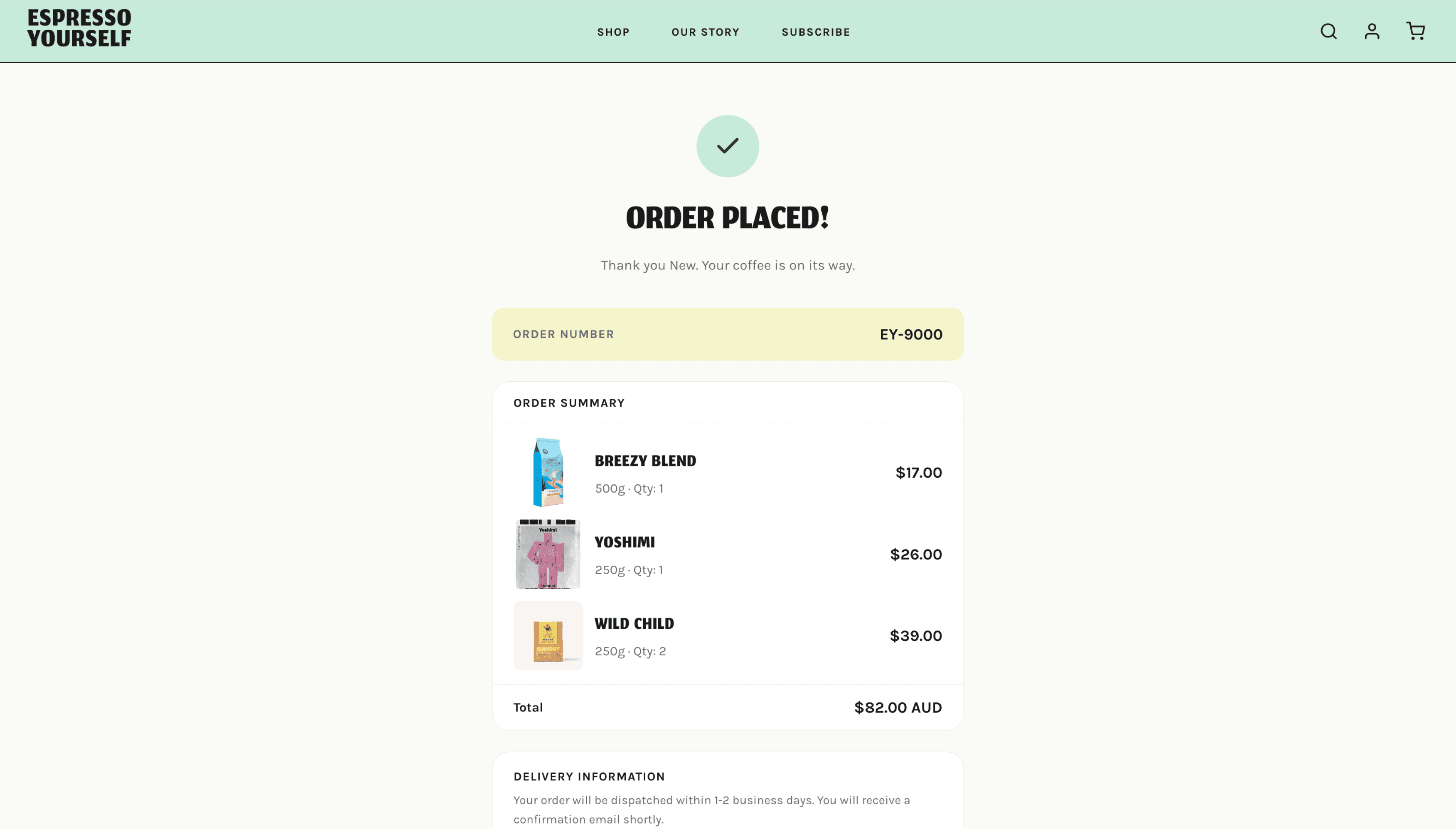
Checkout Confirmation
PRODUCT DISCOVERY
Search, filter, sort and product cards helped customers explore the catalogue.
PURCHASE CONFIDENCE
Product detail and cart feedback kept key information visible before checkout.
CART CONSISTENCY
Cart state carried through product detail, cart review and checkout confirmation.
STATIC FIGMA TO WORKING PRODUCT
From static Figma screens to working product behaviour.
Designed screens became working behaviours connected to data, user roles and cart actions.
STATIC DESIGN
Product card layout
Cart icon and sidebar
Login screen
Admin dashboard mockup
Membership screen
WORKING BEHVIOUR
Product information updated from a shared catalogue instead of fixed screen content.
Add-to-cart actions updated shopping progress across product pages, cart review and checkout.
Login kept customers and admins in the correct experience.
Admin tools reflected live product and cart information.
Membership progress is updated after checkout based on the customer's order.
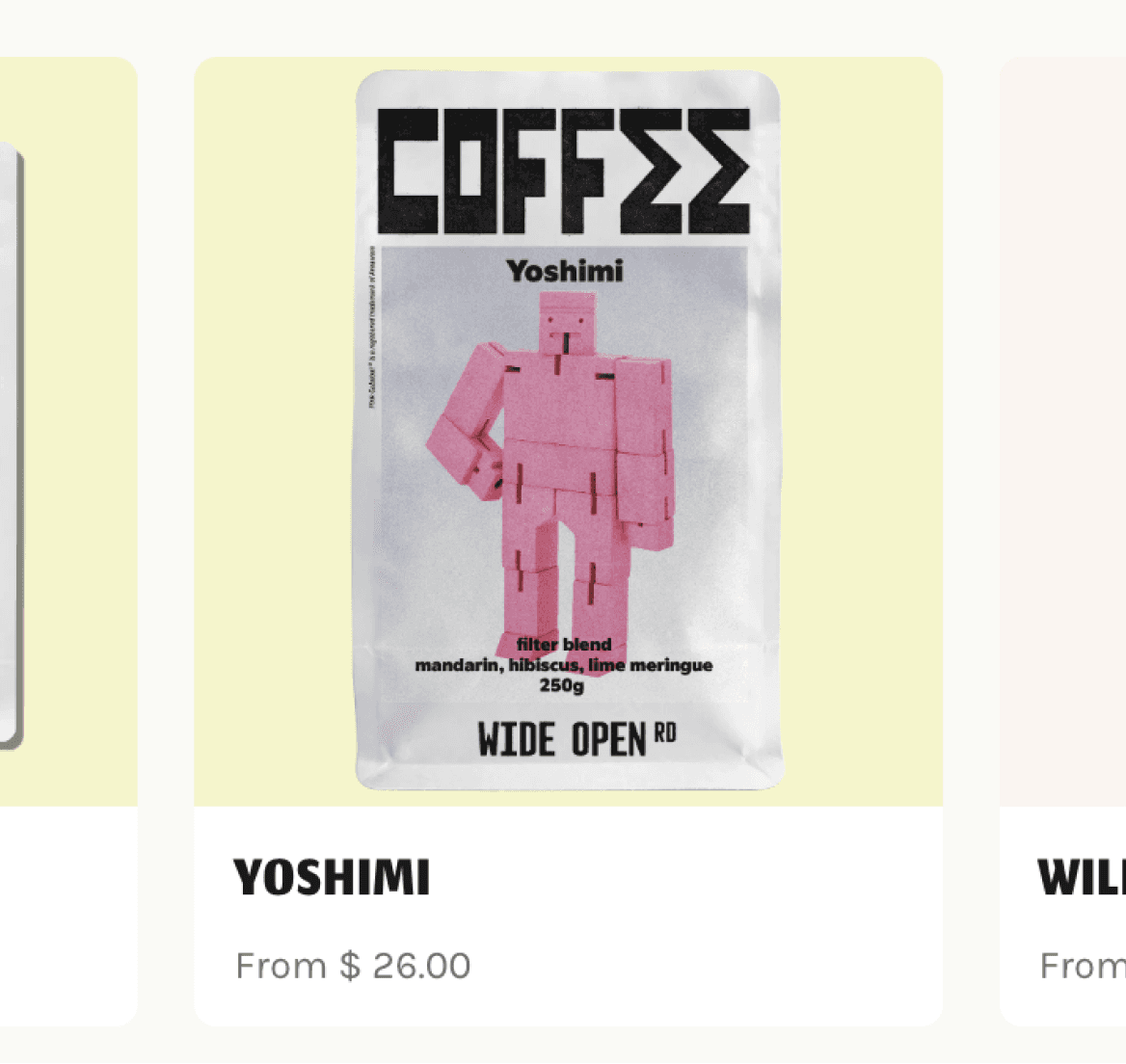
Product Card
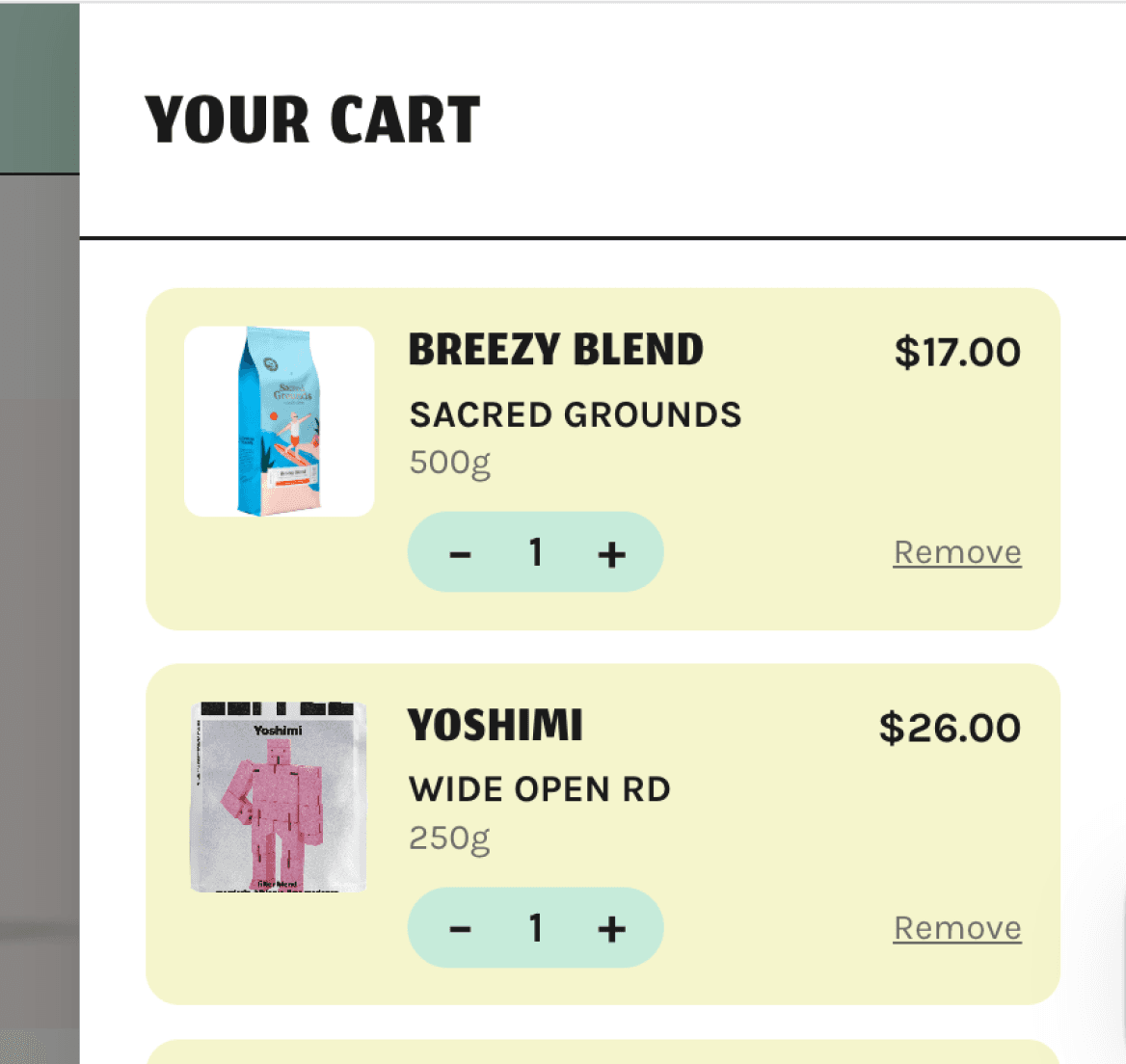
Cart Sidebar
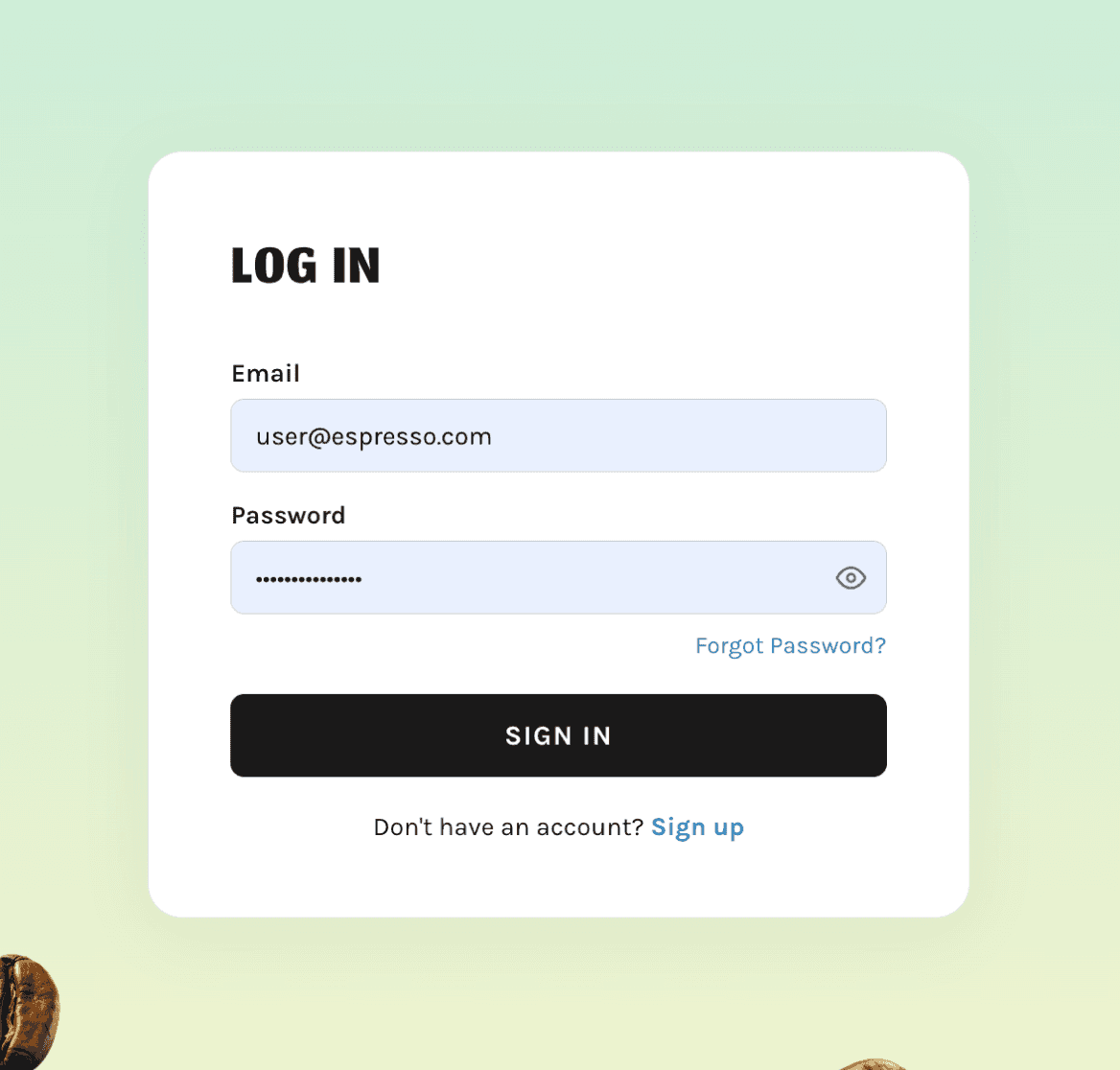
Login Page
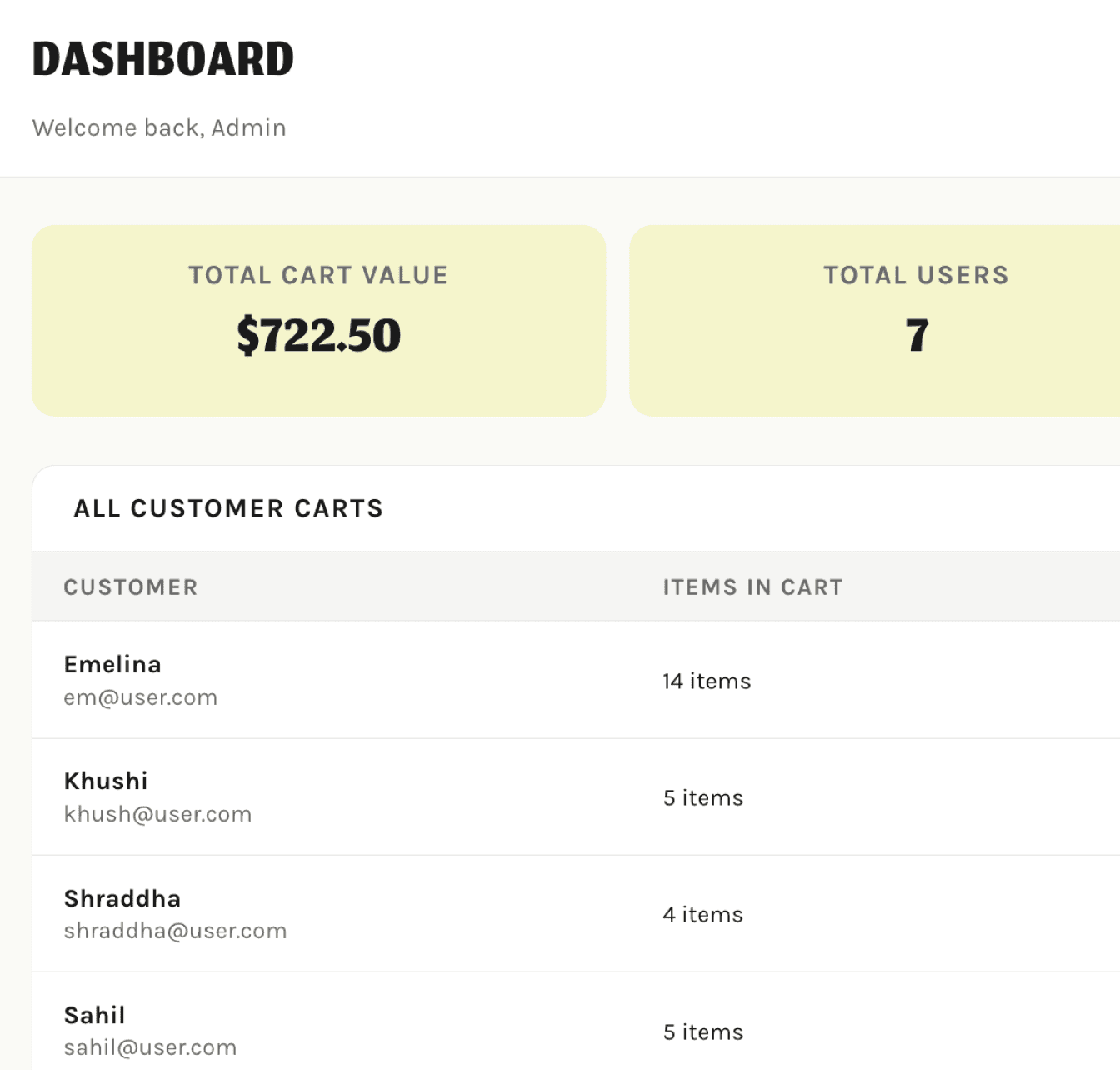
Admin Dashboard
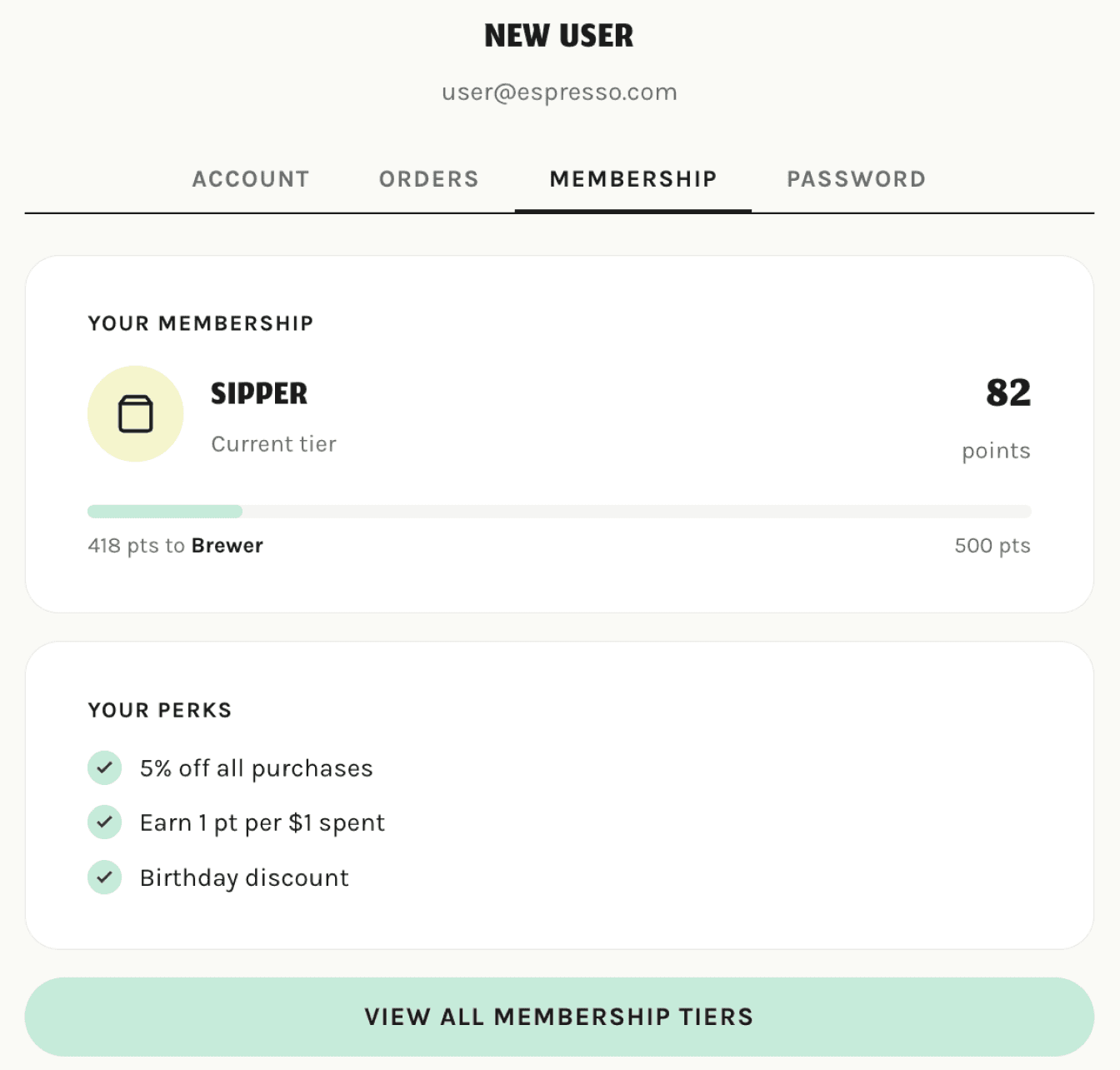
Membership Page
KEY SHIFT
Moving from designed interface states to implemented behaviours that responded to real product data, user roles and cart actions.
HOW THE PRODUCT SYSTEM WORKS
The system that made the interface work.
This simplified system view shows how customer and admin actions connected to shared product data, cart behaviour and access rules behind the interface.
LAYERS
01
Interface Layer
Customer and admin screens: login, shop, cart, profile and dashboard.
User actions became data-backed interactions, not static screen changes.
02
Interaction + data layer
Connects actions like login, add-to-cart, checkout and product edits to product, cart and account data.
Cart, product and account behaviour stayed consistent across pages.
03
Product behaviour layer
Handles login sessions, cart updates, product CRUD and checkout confirmation behaviour.
04
Access layer
Checks whether users can access customer or admin actions.
Admin controls were protected from customer access.
05
Shared product data
Stores users, products, carts and membership-related information.
CORE DATA MODEL
User
Determines account access, role and membership experience.
_id · role · name · email · passwordHash
Cart
Powers product browsing and admin catalogue management.
_id · userId · items[]
Cart Item
Stores each selected product, quantity, variant and price.
productId · quantity · variant · price
Product
Stores catalogue details such as name, price, stock, origin, tasting notes and image.
_id · name · price · stock · roaster · origin · tastingNotes · profile · variant · image
Admin Permissions
Protects store management tools from customer access.
PRODUCT DECISIONS
How technical choices shaped the
product experience.
Each technical decision was evaluated by how it affected persistence, access, consistency and control.
01
Role-based access
Customer and admin experiences were separated so each user entered the right flow, supported by JWT authentication, protected routes and permission checks.
PRODUCT IMPACT
Customers could shop safely while admin tools stayed protected from public access.
02
Cart continuity across the journey
Cart actions were carried across product detail, cart review and checkout so customers saw the same shopping progress throughout the journey.
PRODUCT IMPACT
Customers received consistent feedback and were less likely to lose trust before checkout.
03
Shared product catalogue
Product information came from a shared catalogue, so product pages could update without being redesigned or hardcoded individually.
PRODUCT IMPACT
The catalogue could scale and be managed through admin tools.
04
Admin product management
Admins could add, edit and delete products through a protected interface.
PRODUCT IMPACT
Store management became part of the product experience, not a manual database task.
PRODUCT RISKS STABILISED BEFORE DELIVERY
Cart sync, admin access, dynamic data and session persistence.
MY CONTRIBUTION
What I led, built and connected.
I connected the customer flow, admin flow and cart behaviour into one working product experience.
TEAM COORDINATION
Frontend/backend checkpoints
PRODUCT LOGIC
Auth · products · cart · data models
PRODUCT INTEGRATION
Customer & admin flows connected

TESTING & STABILISATION
QA · routing cart sync
SCREENS I CONNECTED INTO THE PRODUCT EXPERIENCE
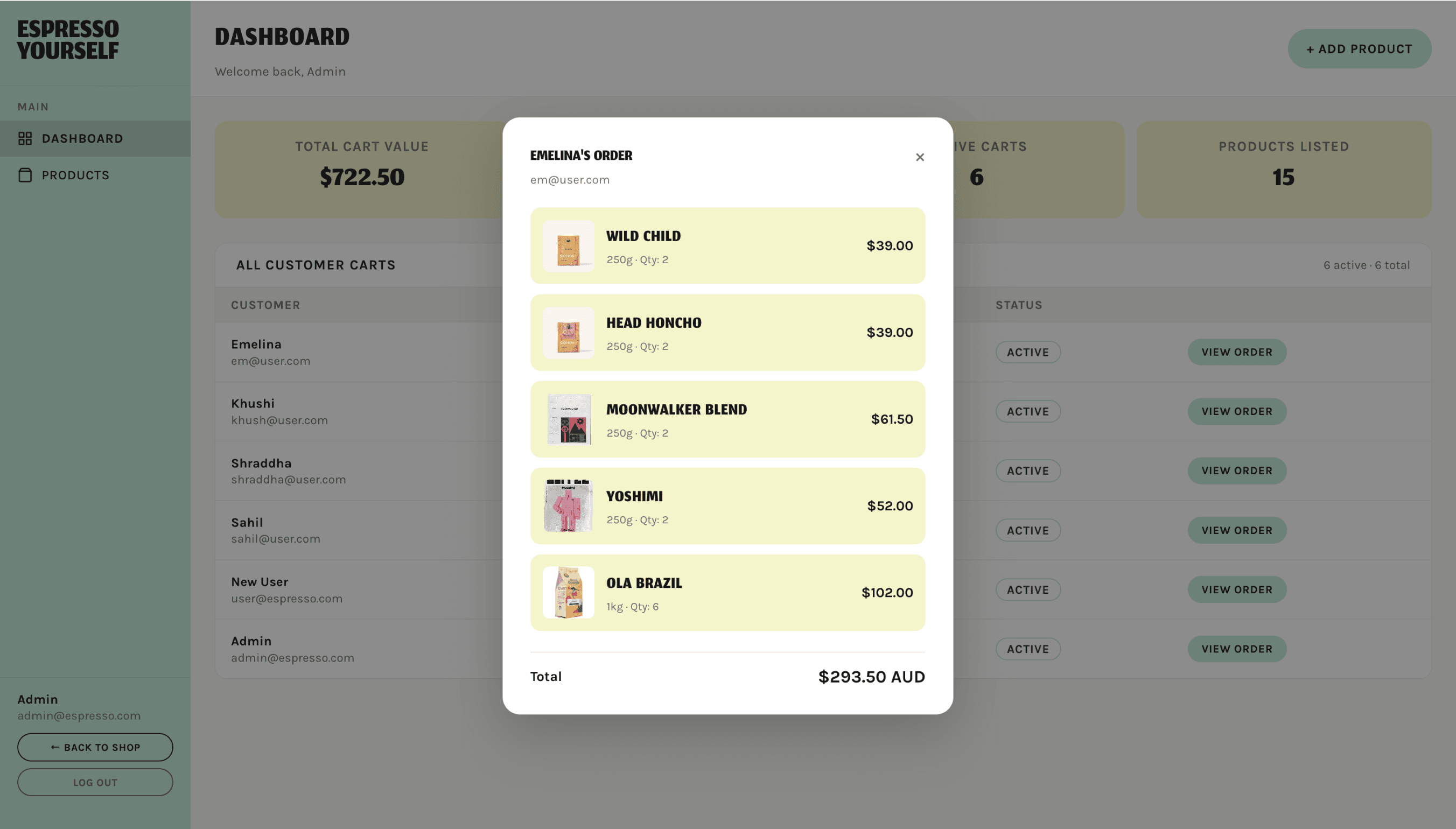
ADMIN DASHBOARD
Store activity, customer carts and order review.
PRODUCT MANAGEMENT
Edit catalogue details through the interface.

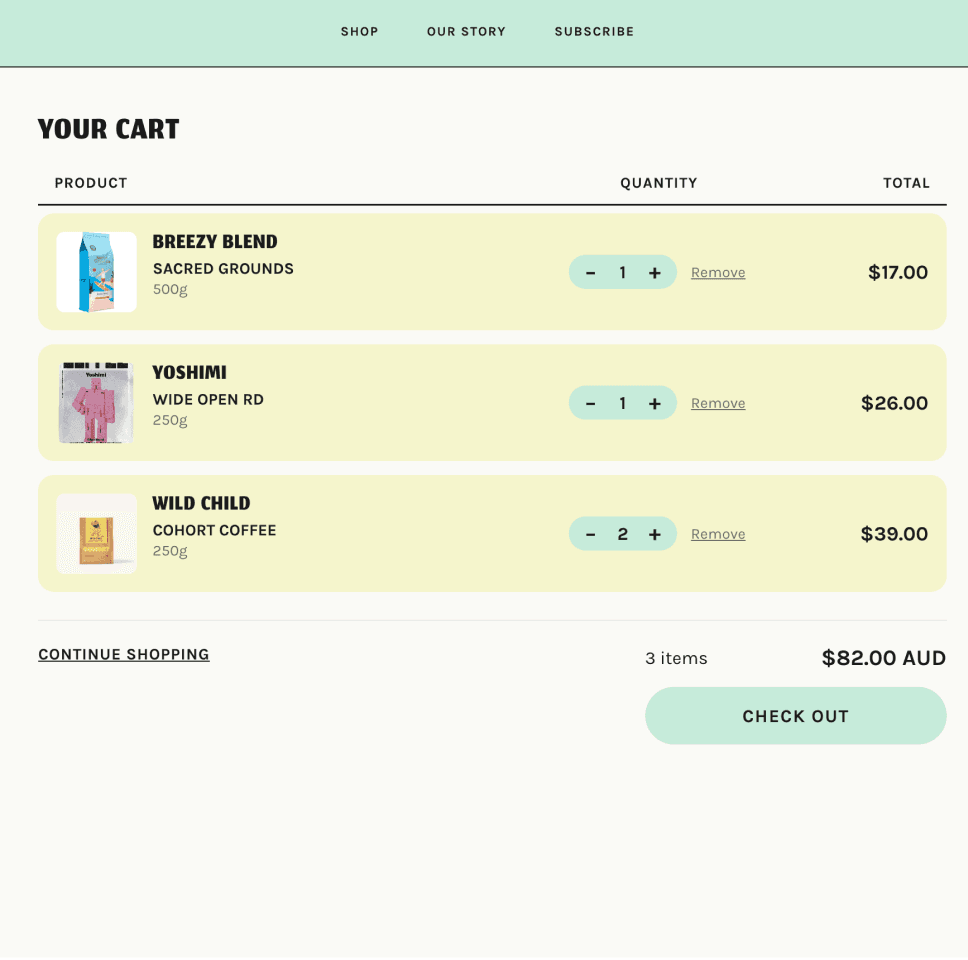
CART CONTINUITY
Shared cart state before checkout.
FINAL OUTCOME
Good digital products are not just well-designed interfaces.
FINAL OUTCOME
A locally running e-commerce product system where customer shopping, admin operations, authentication, cart logic, product data and membership behaviour worked together as one connected experience.
REFLECTION
What shipping a product taught me.
Design and technical decisions are connected.
The interface only works when the data, state and permissions behind it are considered.
Integration is where products often break.
Connecting flows taught me to think across the full journey, not just individual screens.
Role-based systems need to be planned early.
Customer and admin experiences should be considered from the structure up, not added at the end.
Next, I would strengthen empty, loading and error states, expand checkout realism and test the customer/admin flows with users.
Shipping Espresso Yourself taught me to design beyond screens by considering the behaviours, systems and connections that make a product feel complete.